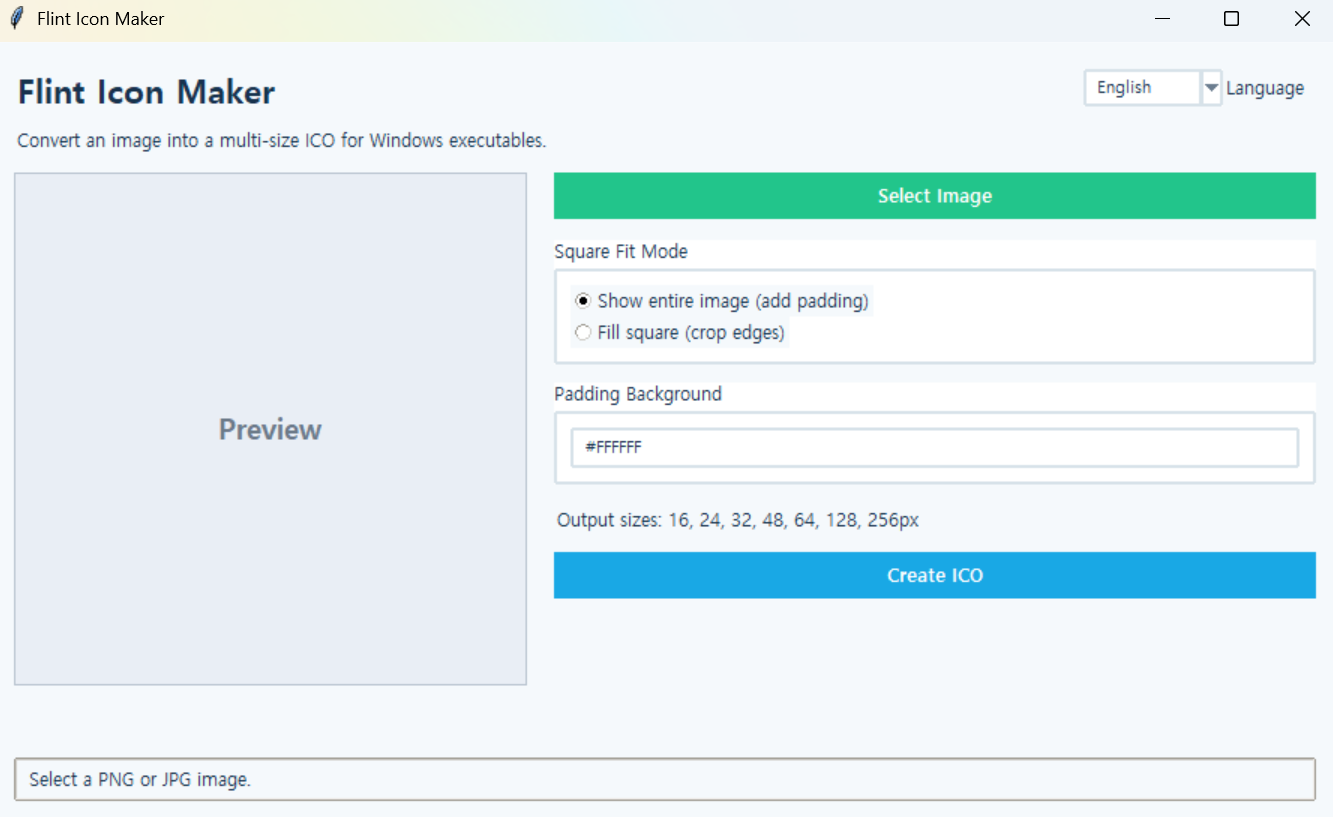
Flint Icon Maker
Version: 1.0.0
Flint Icon Maker
A GUI tool that converts PNG, JPG, WEBP, and BMP images into multi-size ICO files for Windows executables.
How to Use
- Click
Select Imageand choose the image you want to convert into an icon.
- Select a square adjustment method.
Fit Entire Image: Keeps the entire original image and adds padding to fill the remaining space.Center Crop: Fills the square completely and crops part of the edges as needed.
- When using
Fit Entire Image, enter the padding background color in#RRGGBBformat.
- Check the preview.
- Click
Create ICOand choose the save location and file name.
Features
- Supports PNG, JPG, JPEG, WEBP, and BMP images
- Automatic square adjustment
- Choose between keeping the entire image or center cropping
- Customizable padding background color
- Creates multi-size ICO files in 16, 24, 32, 48, 64, 128, and 256 px
- Korean and English interface
- Bilingual support for image selection, save dialogs, error messages, and completion messages
Running from Source
Install the required package:
pip install pillowRun:
python iconmaker.pyNote: If you are using the executable (EXE) version, you do not need to install the required package or run any Python commands.
