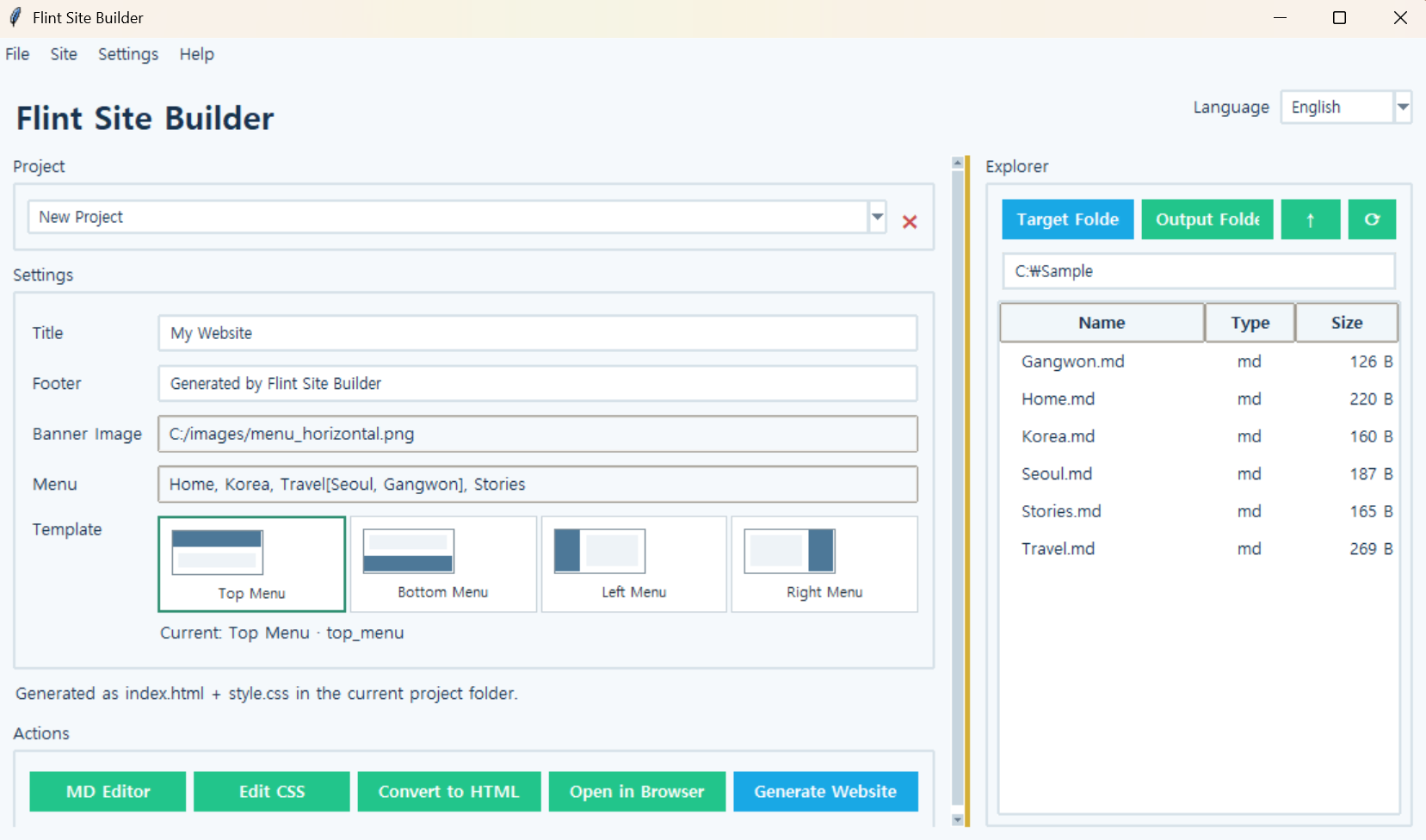
Flint Site Builder
Version: 1.0.0
Flint Site Builder
A GUI-based website builder for creating static HTML websites from Markdown documents.
You can configure menus, banners, layouts, and CSS while keeping the original Markdown files unchanged, then generate the completed website in a separate output folder. Markdown documents that are not part of the top, bottom, left, or right menu layouts can also be converted into individual HTML files using the HTML Conversion feature.
How to Use
- Create a new project or open an existing one.
- Link Markdown documents from the working folder to the menus.
- Configure the menus, banners, and template design.
- Check the preview, then click
Generate Site.
Menu Configuration
Separate regular menu items with commas and define subcategories inside [].
Home, South Korea, Travel[Seoul, Gangwon Province], StoriesEach menu item can be linked to a Markdown document or an email address.
Template Designs
Four HTML layouts are available, with menus positioned at the top, bottom, left, or right. Each layout offers three design options:
Default: Standard designUnlimited Banner: A design with an expanded banner widthMenu Jump: A design that uses a button to jump to the menu instead of a sticky menu
The four HTML structures remain unchanged, while the designs are applied through CSS, providing a total of 12 built-in design combinations.
Markdown Links
Markdown documents can be linked to each other using standard .md links.
[Seoul](Seoul.md)When generating a website or converting Markdown to HTML, local .md links are automatically converted to .html links. External URLs, email links, image links, and other links remain unchanged.
HTML Conversion
Markdown documents that are not intended to be part of the top, bottom, left, or right menu layouts can be converted separately using the HTML Conversion feature.
When a folder is selected, .md files are converted to .html, while other files are copied without modification. Enabling Include Subfolders also preserves the original folder structure.
Editing and Preview
Markdown and CSS files can be edited directly within the program. Both an integrated GUI preview and a preview in an actual web browser are supported.
Key Features
- Generate static HTML websites from Markdown
- Save and load projects
- Four HTML layouts: Top, Bottom, Left, and Right
- 12 design combinations: Default, Unlimited Banner, and Menu Jump
- Configure menus and nested subcategories
- Customize banner images and text
- Edit Markdown and CSS directly
- Automatically convert Markdown links from
.mdto.html - Batch convert standalone Markdown documents to HTML
- Preserve folder structures and copy non-Markdown files
- GUI and browser previews
- Korean and English interfaces
- Built-in sample files with preservation of existing samples
Running
Install the required package:
pip install markdownRun:
python builder.py
Note:If you are using the executable (EXE) version, you do not need to install the required package or run the Python command.
Command-Line Conversion
You can also batch convert Markdown documents in a folder to HTML without using the GUI.
builder.py <folder>
builder.py C:\Docs /s
builder.py C:\Docs -o web
builder.py C:\Docs --keep/s: Include subfolders-o: Specify the output folder--keep: Do not convert.mdlinks to.html
Running the program without any arguments launches the GUI.
